

How to use our website accessibility features
Using a laptop or desktop computer
How to bring up the accessibility controls
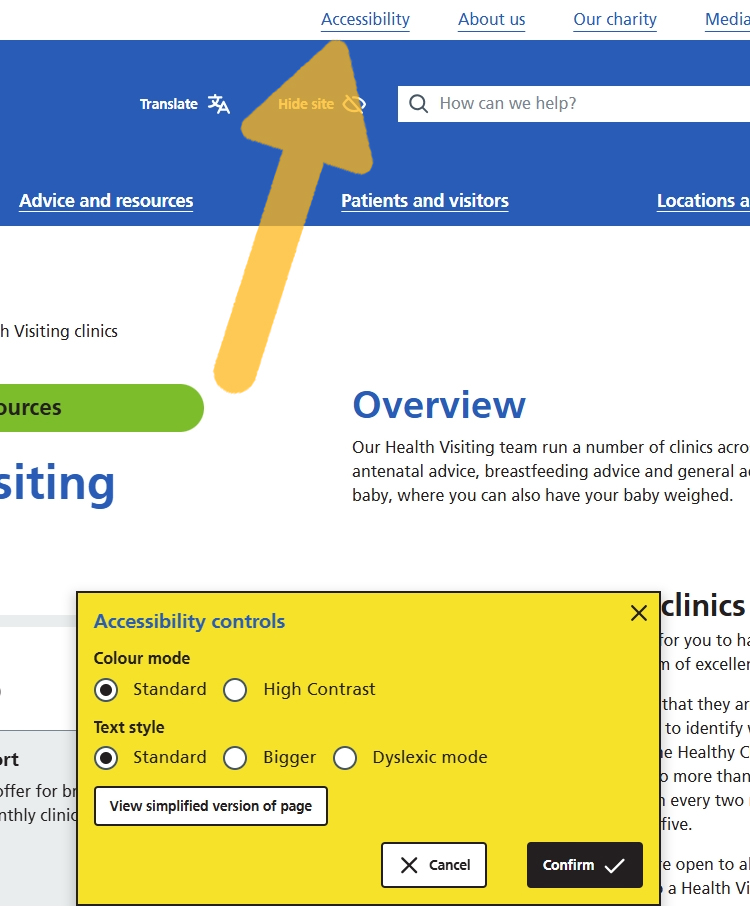
Click on the ‘Accessibility’ button which is at the top of every page on this website.
A yellow box displaying options will appear along the bottom of the screen.
View the website in high contrast mode
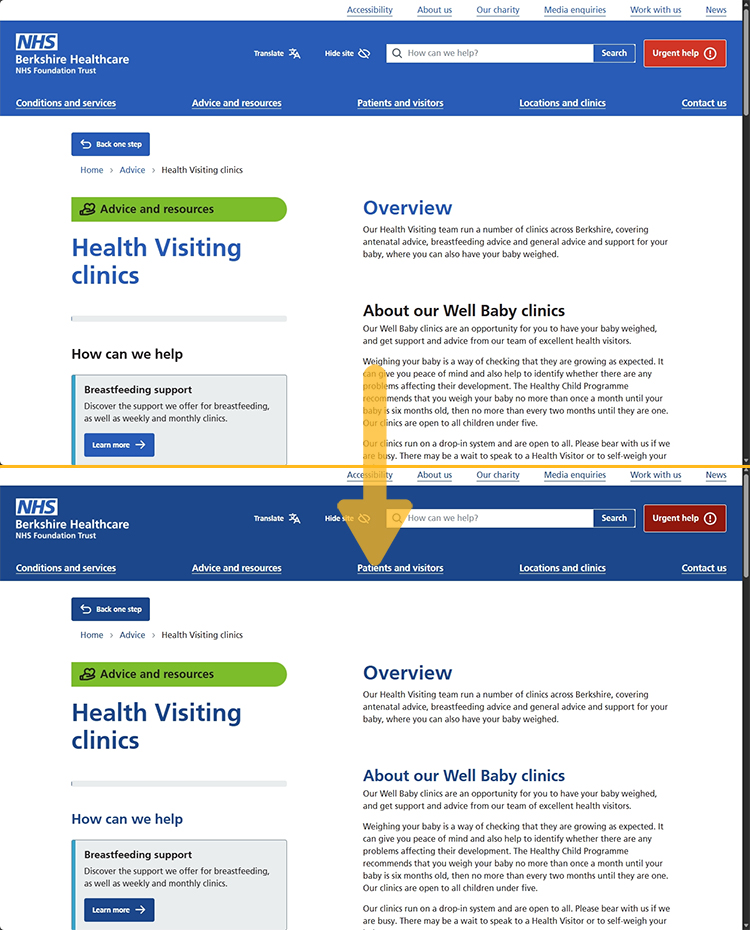
High contrast mode is helpful for anyone with low vision, colour blindness, or eye fatigue.
In the accessibility controls, select ‘High contrast’ under ‘Colour mode’.
While this mode is active, you can also change the text style and view a simplified version of the page.
Make text bigger
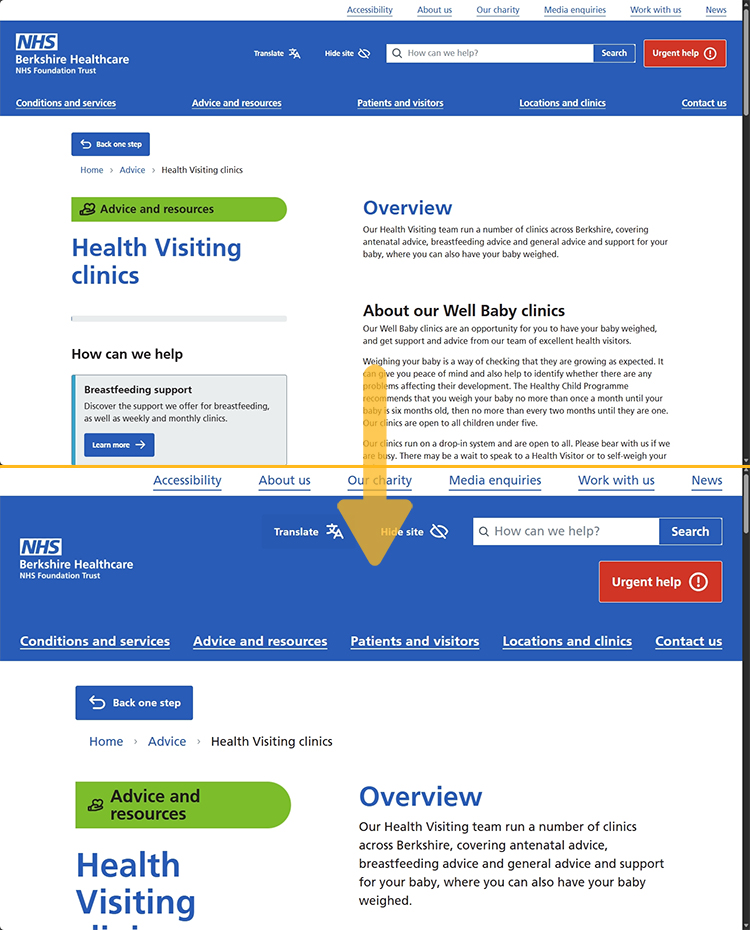
In the accessibility controls, select ‘Bigger’ under ‘Text style’.
While this mode is active, you can also use the high contrast colour mode and view a simplified version of the page.
View the website in dyslexic mode
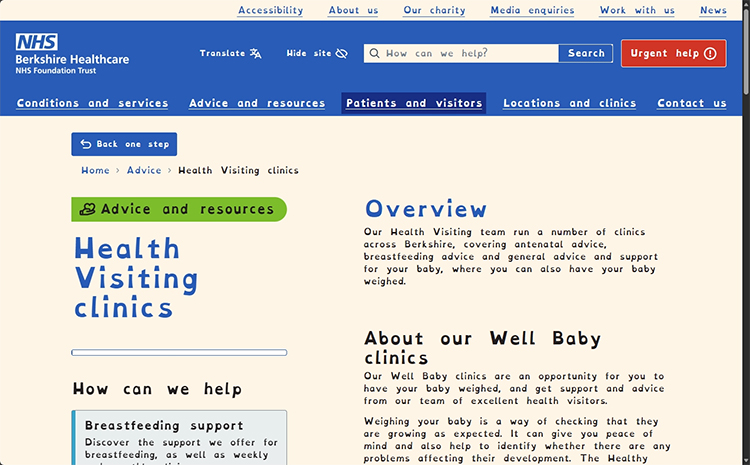
Dyslexic mode changes the font style and some of the colours on the page so it should be easier for people with dyslexia to read.
In the accessibility controls, select ‘Dyslexic mode’ under ‘Text style’.
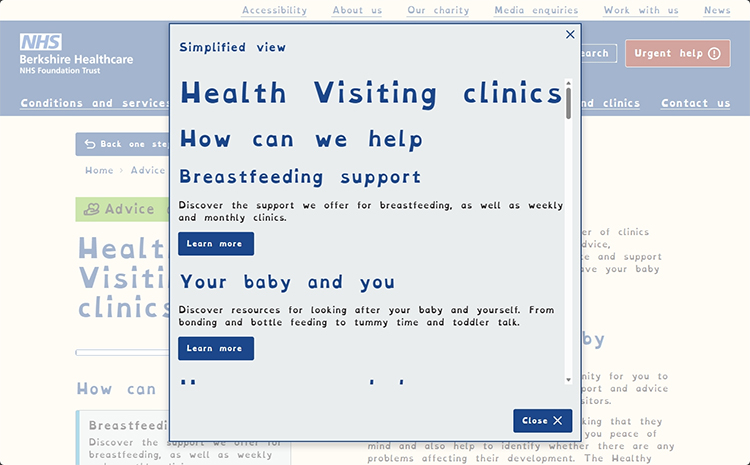
While this mode is active, you can also use the high contrast colour mode and/or view a simplified version of the page.
View a simplified version of the page you’re on
This is helpful for users who struggle with focus or sensory overload.
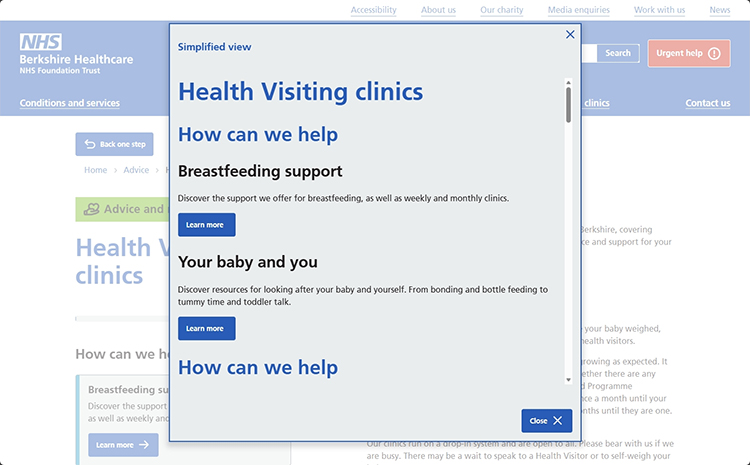
In the accessibility controls, select ‘View simplified version of page’.
This will open a pop-up that removes distractions and shows only text, images, and essential buttons from the page you’re viewing.
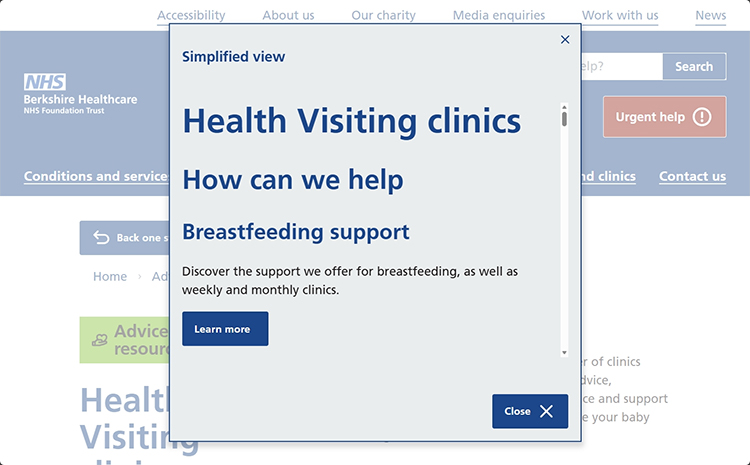
While this mode is active, you can also use the high contrast colour mode and bigger text style and/or dyslexic mode.
Translate text to another language
Our website is written in British English, but we have included a translation feature powered by Google Translate. It supports 240 unique languages (as of August 2026).
All accessibility controls can be used while using the translation feature.
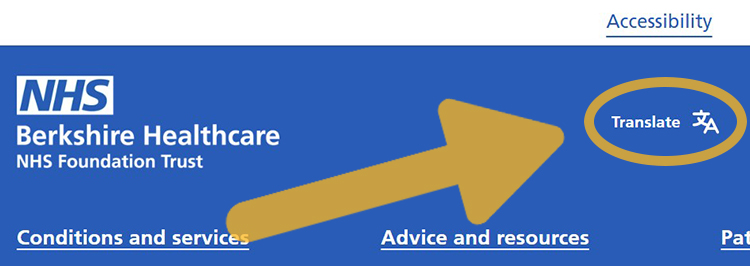
If you want or need another language, click on the ‘Translate’ button in the blue menu bar along the top of every page on the website.
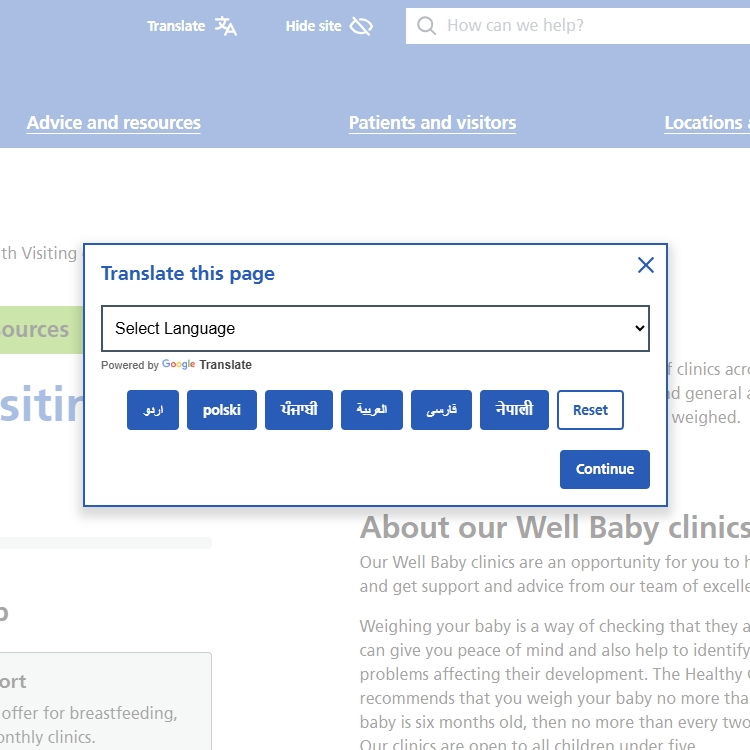
A pop-up will appear with a dropdown menu and buttons for commonly requested languages.
Select your language and then click 'Continue'.
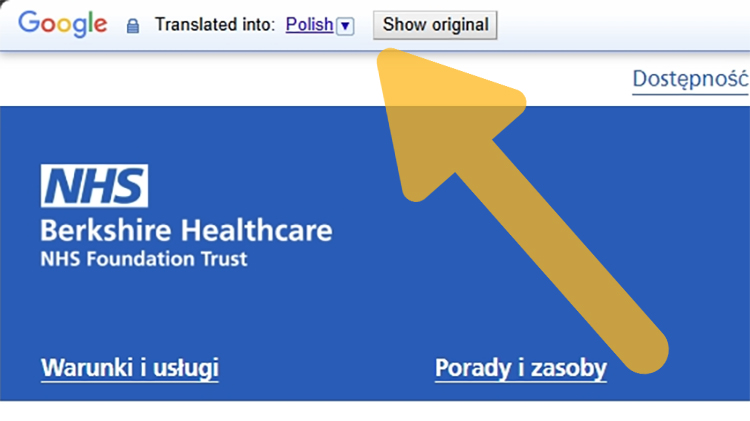
A bar will appear along the top of the page with the Google logo. You can change the language from this bar, or switch between the original text and translation.
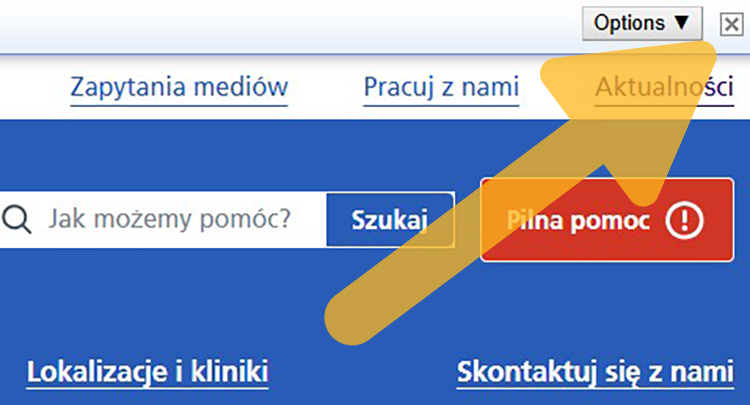
Click the ‘x’ on the right side of the bar to exit the translated view, close the bar, and go back to the original text.
Using a smartphone or tablet device
How to bring up the accessibility controls
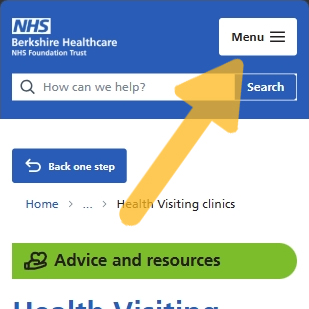
Tap the ‘Menu’ button which is in the top-right corner of the screen on every page.
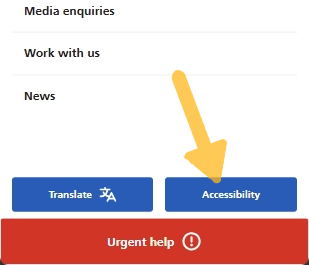
Tap the ‘Accessibility’ button at the bottom of the menu screen.
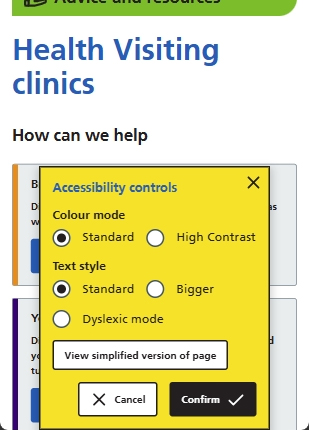
A yellow box displaying options will appear along the bottom of the screen.
View the website in high contrast mode
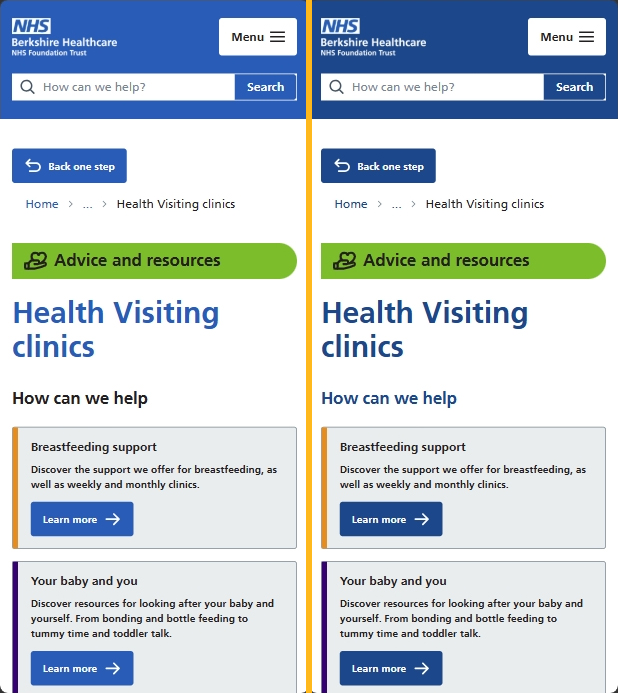
High contrast mode is helpful for anyone with low vision, colour blindness, or eye fatigue.
In the accessibility controls, select ‘High contrast’ under ‘Colour mode’.
While this mode is active, you can also change the text style and view a simplified version of the page.
Make text bigger
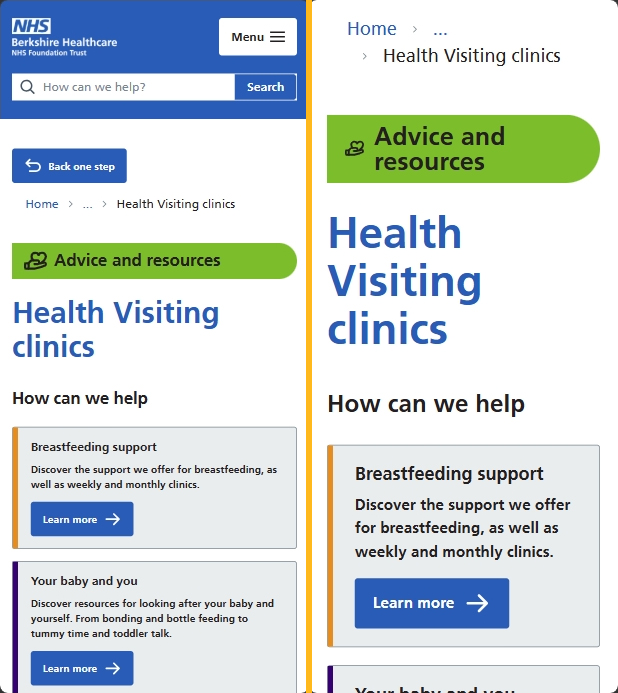
In the accessibility controls, select ‘Bigger’ under ‘Text style’.
While this mode is active, you can also use the high contrast colour mode and view a simplified version of the page.
View the website in dyslexic mode
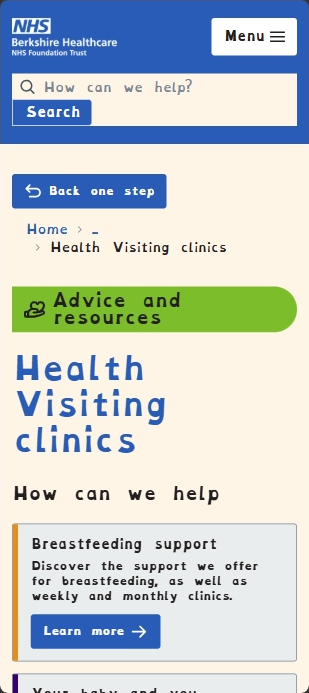
Dyslexic mode changes the font style and some of the colours on the page so it should be easier for people with dyslexia to read.
In the accessibility controls, select ‘Dyslexic mode’ under ‘Text style’.
While this mode is active, you can also use the high contrast colour mode and/or view a simplified version of the page.
View a simplified version of the page you’re on
This is helpful for users who struggle with focus or sensory overload.
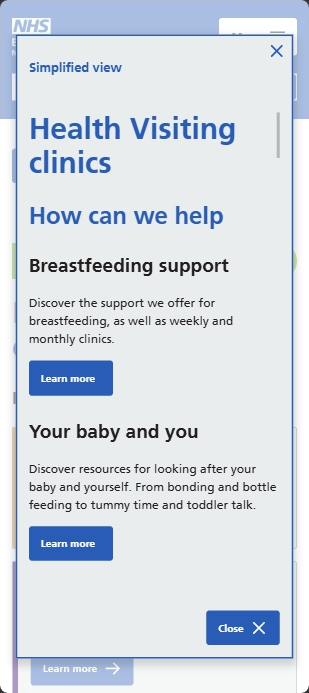
In the accessibility controls, select ‘View simplified version of page’.
This will open a pop-up that removes distractions and shows only text, images, and essential buttons from the page you’re viewing.
While this mode is active, you can also use the high contrast colour mode and bigger text style and/or dyslexic mode.
Translate text to another language
Our website is written in British English, but we have included a translation feature powered by Google Translate. It supports 240 unique languages (as of August 2026).
All accessibility controls can be used while using the translation feature.
If you want or need another language, tap the ‘Menu’ button which is in the top-right corner of the screen on every page.
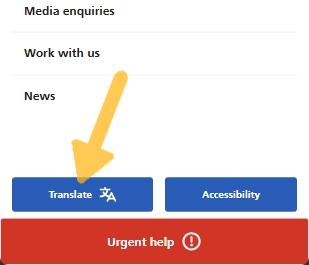
Tap the ‘Translate’ button at the bottom of the menu screen.
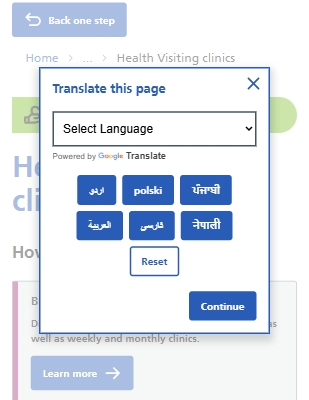
A pop-up will appear with a dropdown menu and buttons for commonly requested languages.
Select your language and then click 'Continue'.
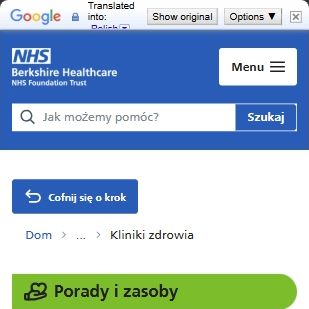
A bar will appear along the top of the page with the Google logo. You can change the language from this bar, or switch between the original text and translation.
Click the ‘x’ on the right side of the bar to exit the translated view, close the bar, and go back to the original text.
Accessibility
Accessible facilities and communication support
Wheelchair Access: Many of our sites have step-free entrances and wide doorways to ensure easy access for wheelchair users and those with mobility aids. Where possible, lifts are available for multi-floor buildings. For more details about each location please visit the individual location page.
Accessible Toilets: Every location includes disabled toilets designed for ease of use. Some sites also provide combined WC and shower facilities for patients who need additional support.
Parking: We offer disabled parking spaces at all sites. Many locations provide free on-site parking for patients, staff and wheelchair users to make visits stress-free.
Family and Visitor Support: To make visits easier for families, many sites offer children’s play areas, prayer rooms, cafés, on-site chapels, shops and pharmacies.
Translation Services: If English is not your first language, we can arrange interpreters or provide translated materials to help you understand your care options. This includes face-to-face interpretation and telephone translation services.
Braille Information: Key documents and patient information can be provided in Braille upon request, ensuring that blind or visually impaired users have equal access to essential details.
Signing Services: We provide British Sign Language (BSL) interpretation and finger-spelling support for deaf or hard-of-hearing patients. These services can be booked in advance for appointments.
Hearing Induction Loops: Several sites are equipped with hearing induction loops to improve sound clarity for hearing aid users during consultations and group sessions.
Equality, Diversity and Inclusion
We’re committed to making sure everyone feels respected, valued and supported.
- Equality – We work hard to treat people fairly and remove barriers, so that everyone has the same opportunities and experiences. We are working to reduce health inequalities by making sure our care is accessible, inclusive and culturally appropriate for all
- Diversity – We celebrate the richness of our differences and make sure voices from all backgrounds are heard in shaping how we work and care.
- Inclusion – We want all our colleagues to feel they belong, We are working to reduce health inequalities by making sure our care is accessible, inclusive and culturally appropriate for all
Continuous improvement
A dedicated working group regularly reviews accessibility across all services and ensures reasonable adjustments are made promptly.
Digital accessibility
Information in Multiple Formats
We provide information in BSL videos, large-print documents, Braille, audio recordings, easy-read summaries, email and plain-text versions to meet different communication needs.
Accessible Information Standard
We follow the NHS Accessible Information Standard, which means patient records can flag any required adjustments so staff are aware before your appointment.
e-Health Passport
Patients can share sensory and communication preferences with staff before an appointment using the e-Health Passport, helping us tailor your experience.
Interpretation Services
We fund interpretation for non-English speakers and deaf/hard-of-hearing users, including a BSL telephone line available via NHS 111 from 8 am to midnight.
Online Services
Our digital services, such as Talking Therapies, text-line crisis support, virtual consultations and health-record portals, are designed for easy access and usability.
Website accessibility
Accessibility statement
Our website complies with NHS Digital Accessibility standards. You can read our full Accessibility Statement online.
Support resources
We have a range of support resources available for download in our Advice and resources section. We are actively working to generate more resources in varying languages and easy-read formats.
Accessible web design
Our website follows WCAG guidelines, ensuring compatibility with screen readers, keyboard navigation and clear layouts for all users.
Website Digital Accessibility Statement January 2026
File size: 294 KB